

Twine Biller & QuickBooks Online
Automate wholesale subscription billing and push accurate invoices into QuickBooks Online
Twine Biller helps accountants and bookkeepers turn wholesale software costs into clean, client-ready invoices.
Key Capabilities of Twine Biller & QuickBooks Online
Capture missed subscription revenue
Stop undercharging for software subscriptions, licences and add-ons.
Reduce manual billing time
Replace spreadsheet-heavy billing processes with a repeatable monthly workflow.
Apply client-specific margins
Bill different clients differently without rebuilding your spreadsheet every month.
Keep QuickBooks Online as your accounting source
Twine Biller prepares the billing logic, then sends invoices into QuickBooks Online.
Support fixed-to-mixed fee pricing
Move beyond static monthly fixed fees and recover the true cost of software usage.
Built for accountants, bookkeepers and consultants
Designed for firms managing multiple client files, software subscriptions and wholesale billing accounts.

Who Is Twine Biller For?
Twine Biller is ideal for:
Accounting firms
Bookkeeping firms
QuickBooks ProAdvisors
Employment Hero partners
Software resellers
Advisory firms managing client subscriptions
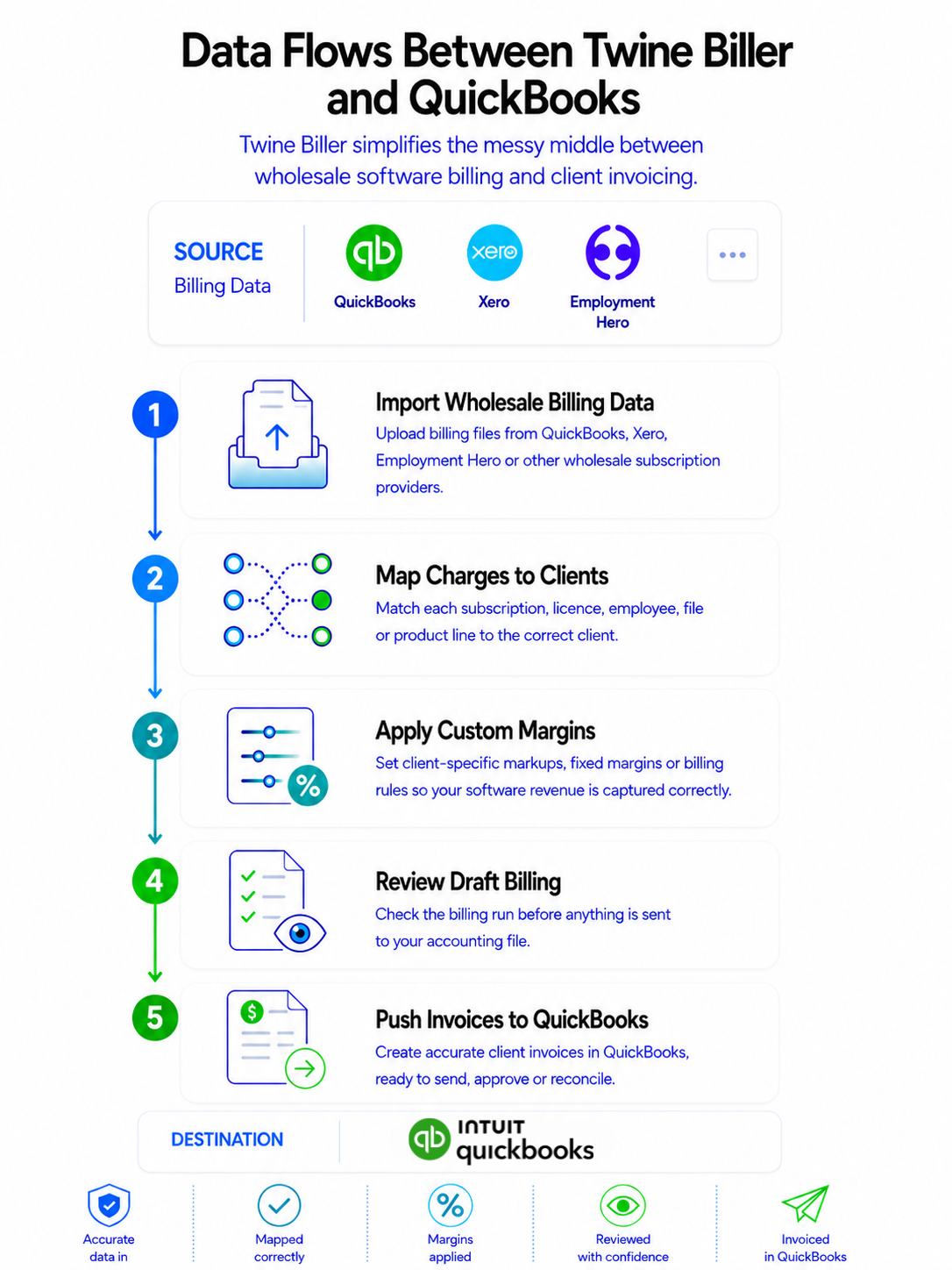
Data Flows Between Twine Biller and QuickBooks Online
Twine Biller is built to simplify the messy middle between wholesale software billing and client invoicing.
1. Import Wholesale Billing Data
Upload billing files from platforms such as QuickBooks Online, Xero, Employment Hero or other wholesale subscription providers.
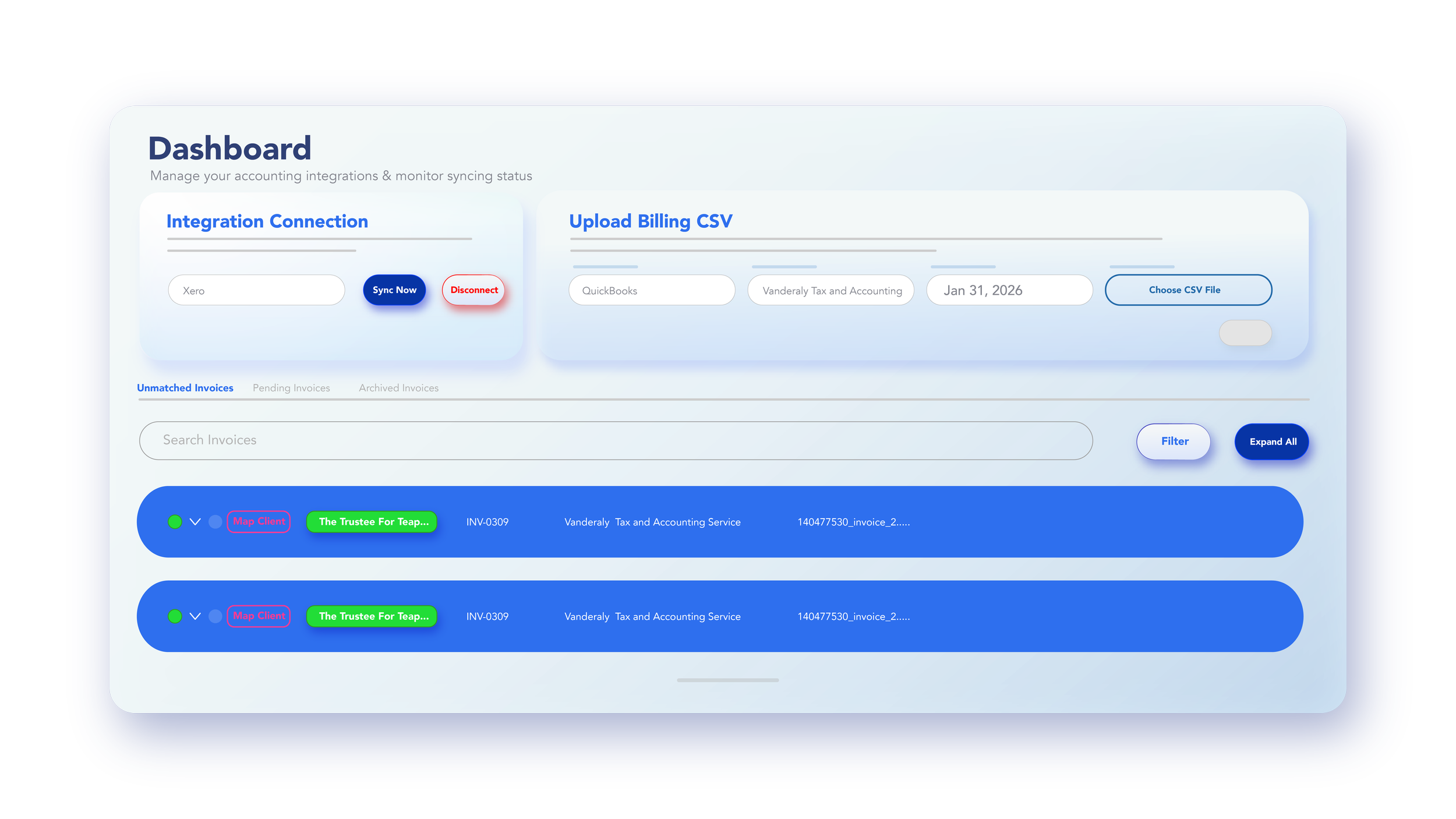
2. Map Charges to Clients
Match each subscription, licence, employee, file or product line to the correct client.
3. Apply Custom Margins
Set client-specific markups, fixed margins or billing rules so your software revenue is captured correctly.
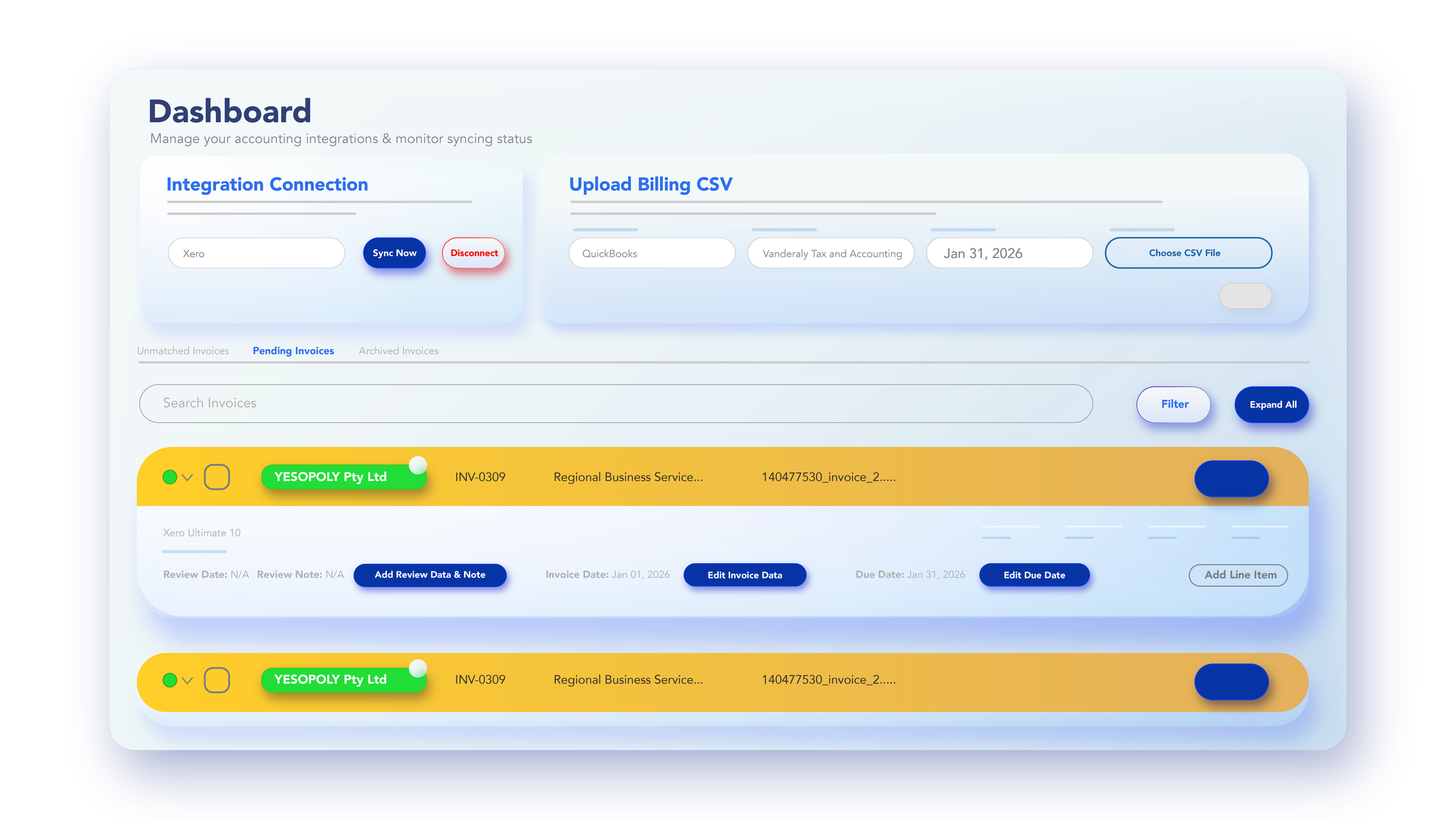
4. Review Draft Billing
Check the billing run before anything is sent to your accounting file.
5. Push Invoices to QuickBooks Online
Create accurate client invoices in QuickBooks Online, ready to send, approve or reconcile.
Why Twine Biller?
Most firms are already paying for client software subscriptions.
The problem is not the cost.
The problem is the leakage.
Margins are missed. New files are forgotten. Employees are added. Subscriptions change. Wholesale invoices arrive in one format, while client billing needs to happen in another.
Twine Biller gives firms a simple way to turn wholesale billing data into accurate client invoices — faster, cleaner and with more control.

Get Integrated with QuickBooks Online
Twine Biller connects with QuickBooks Online so your billing workflow can move from upload to invoice without double handling.
Our onboarding process helps you set up your client mappings, billing rules and invoice workflow so your firm can start billing with confidence.
Book a demo and see how Twine Biller can help your firm recover software revenue, reduce admin time and build a stronger subscription billing process.
Subscriptions. Simplified.